
Employee self-service software in Pakistan
The ESS portal is where an employee marks attendance, requests leave and opens a payslip. The MSS portal is where their manager approves that request and sees the team. Both are inside one StreamHCM account. This page is not a public login.
Last updated 14 November 2026
By the StreamHCM HR & Payroll Team.
Quick answerEmployee self-service (ESS) software is a company login where staff see their own attendance, leave and payslip, and request leave, without a ticket to HR. On StreamHCM that login is the web portal and the mobile app. Manager self-service shows the team and the approval queue. This site has no public ESS or MSS login.
Payslip, leave and attendance on the phone
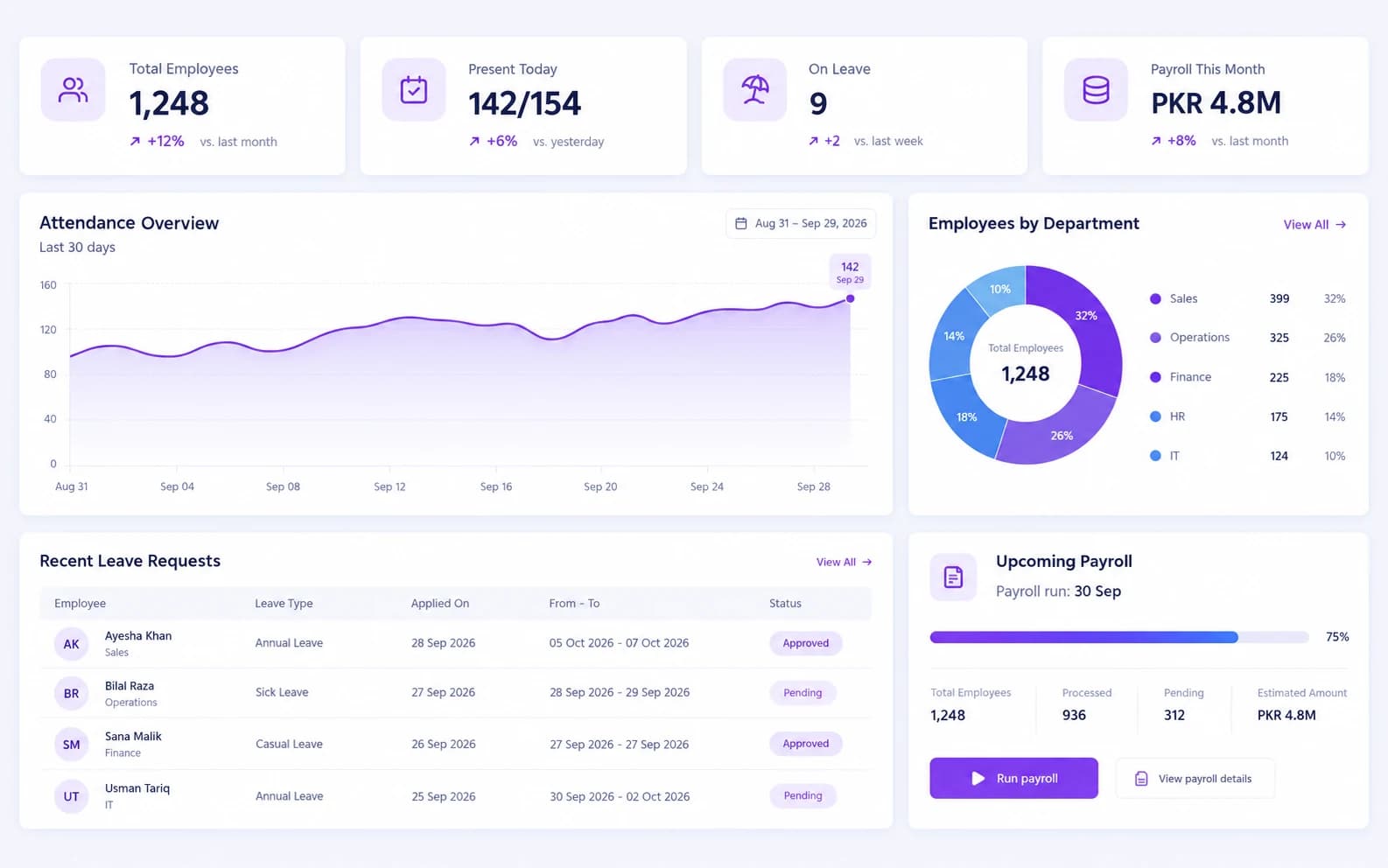
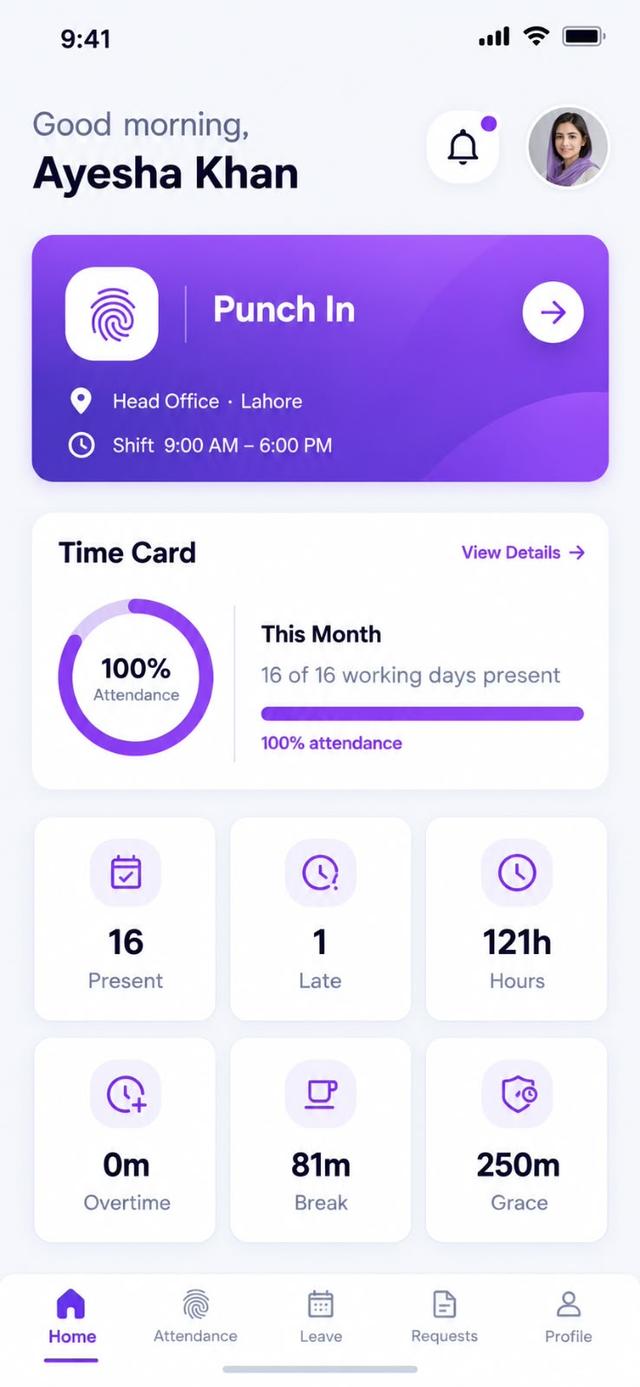
The handset image is the employee app home screen. The larger image is the HR dashboard managers and HR see on the web. A written note on what staff can do themselves is employee self-service in Pakistan.
What does the employee portal include?
Attendance, leave and the salary slip, without a message to HR.
Dashboard
Personal snapshot of attendance, leave, and tasks.
Attendance
View daily attendance and punch history.
Face Attendance
Check in with facial recognition.
Mobile Attendance
Mark attendance from the mobile app.
Web Attendance
Punch in and out from any browser.
WiFi Attendance
Auto-mark attendance on trusted office WiFi.
GPS Attendance
Location-verified check-in for field staff.
Leave Requests
Apply and track leave in seconds.
The phone screen is the one already used on the homepage.
What is an HCM self-service portal?
An HCM self-service portal is the employee login and the manager login inside the HCM system. On StreamHCM that is ESS for payslips, leave and attendance, and MSS for the manager's team and approvals. What HCM means is the definition. What an MSS portal is explains where a company's own login comes from.
ESS vs MSS vs the ESS app
| Task | ESS portal | MSS portal | Mobile app |
|---|---|---|---|
| Payslip | Download the monthly payslip after payroll is approved | High-level team payroll summary. Individual salary stays behind the role you set | The same payslip on Android and iOS |
| Tax certificate | Tax documents, including the salary tax certificate | Not listed as a manager task | The employee app is the same ESS module, so the tax documents are there |
| Leave request | Apply, see the balance and track approval | Approve leave in the queue | Apply from the app |
| Attendance and check-in | View punches. Check in by face, web, WiFi or GPS | Live team attendance | Mobile attendance, including face and GPS |
| Approvals | Submit leave, shift, overtime, a missed punch or work from home | Approve leave, shift and overtime in one queue | Submit those requests from the phone |
| Team view | A personal dashboard only | Team dashboard, who is on leave, tasks and performance | The app is the employee view, not the team view |
The ESS module page is the feature list. The ESS app is the phone. The ESS explainer is the written note on what staff can do themselves.
What can an employee do without calling HR?
An employee can request leave, see the balance, and look at punches for the month. Check-in on the app can be face, GPS or a simple punch, depending on the rule you set for that role. The payslip appears after payroll is approved. It is the same run as payroll software in Pakistan, so the tax and EOBI lines match what finance submitted. Attendance rules behind the punch are on attendance software in Pakistan. A receipt the employee wants reimbursed is submitted in the expense claim system, not by emailing HR.
What does manager self service include?
A manager opens their team: who is in, who is on leave, and which requests are waiting. Approving leave, a shift change or overtime does not require the HR administrator password. Optional productivity tools, including screenshots, stay off unless you enable them for that team. The module page is manager self service. New to the name? Read what an MSS portal is.
Payroll employee self service: payslips and tax certificates
After a pay run is approved, the employee opens that month's payslip in the portal: earnings, the tax line and the employee EOBI share. The same portal is where a salary tax certificate is downloaded, instead of HR emailing a PDF. What an HCM self-service portal covers, beside payslips, is what HCM is.
Team Dashboard
Everything about your team, one screen.
Team Attendance
Live attendance status for every report.
Team Leave
See who's on leave, this week and next.
Team Performance
Track KPIs and goals across the team.
Team Tasks
Monitor task progress in real time.
Team Productivity
Compare productivity trends across the team.
How employees get their ESS login
The company's HR admin creates the login. There is no public ESS or MSS address on this website, and this page will not pretend to be a bank or university portal. The employee opens the same access on Android, iOS or the web. The app itself is described on the employee self-service app page. If you are choosing software, start a 14-day trial and issue logins to a pilot group.
ESS and MSS questions
The employee and manager login inside an HCM system. On StreamHCM that is the ESS portal for payslips, leave and attendance, and the MSS portal for the manager's team and approvals. What HCM means is the definition. What an MSS portal is, and why this site is not someone else's login, is a separate guide.
A login, inside your company's StreamHCM account, where an employee sees their own attendance, leave balance and payslip. It is not a public website with one shared password.
Manager self service is the same account, with a manager role. The manager sees their team's attendance, leave and approvals. There is no public mssportal.com login on this website. Your company issues the access during setup.
Staff open the employee portal for their own payslip. Managers open the manager view for the team. Both sit in the StreamHCM account. This site does not publish a separate staff-login URL.
App Store and Play Store links are not published on this website, so this page does not invent them. The app page describes what the Android and iOS apps do. Access is part of the company trial, not a public download button.
The payslip for that month, after payroll is approved: earnings, tax, the employee EOBI line and net pay. Employees download it from the portal instead of asking HR to email a PDF.
A team dashboard, live attendance, who is on leave, and a queue for leave, shift and overtime approvals. Payroll detail beyond a team summary stays behind the permission you set. Screen monitoring is optional and off unless you turn it on.
Yes. The manager portal is a manager role, not the HR admin role. The manager sees their own reports. They do not need the administrator login that configures payroll rules.
StreamHCM's employee self service: the web portal and the mobile app for attendance, leave, payslips and policy documents. HCM ESS on this site means that module, not a government portal.
ESS is the employee login: attendance, leave, payslips and tax documents. HCM self-service is that login plus the manager login inside the same HCM system. The manager side is MSS, for the team and for approvals.
Yes. After payroll is approved, the employee opens that month's payslip, and the same portal is where a salary tax certificate is downloaded, instead of HR emailing a PDF.
Give the pilot group a portal before payday
14-day trial. No card on this site. Employees open their own slip. Managers approve from the team view.